Turn an accessibility scan into a report your client will pay for.
Scan a page, get the exact element and the measured value behind every finding, turn them into a fix list your developer can work through — then export the client-ready report. Runs in your browser. $39 once, not $39/month.
3 devices · 12 months of updates and support · 14-day refund · no subscription
The report takes longer than the audit
You already know how to find the problems. Formatting them into something a client reads — scope, severity, evidence, what to fix first — is the unpaid afternoon.
“Clients don't read DevTools.”
A screenshot of a scanner panel is not a deliverable. A numbered, prioritised list with the element, the reason and the fix is.
“Which one do I fix first?”
Severity, WCAG criterion and a plain-language reason, so the developer starts at the top instead of arguing about the list.
“Prove the fixes landed.”
Re-scan the page and show exactly what was fixed, what is still failing and what is new.
How it works
Five steps, one loop, no account.
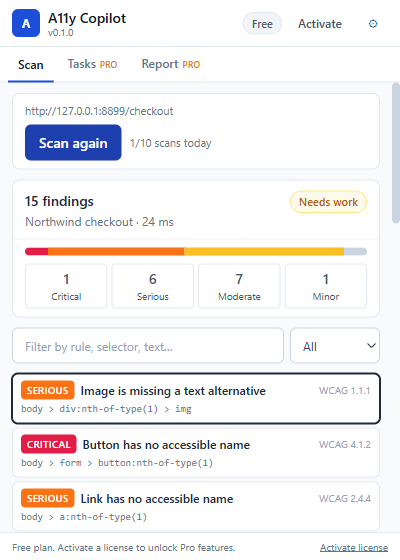
Scan the page you have open
One click. 19 automated WCAG 2.2 checks, severity-sorted, each bound to a real DOM element. Nothing is uploaded.
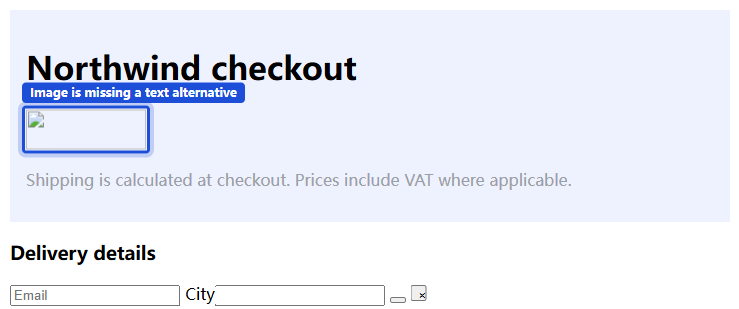
Locate the exact element
Click a finding and the element is outlined in the page, with its selector and HTML. No guessing which of the twelve buttons is the broken one.
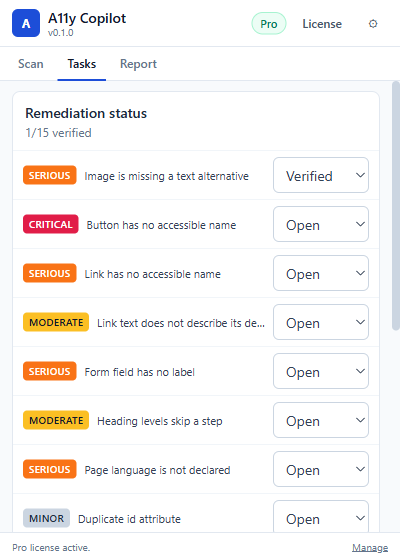
Turn findings into a work queue
Status and owner per finding — open, in progress, fixed, verified, or accepted risk. The status travels into the export.
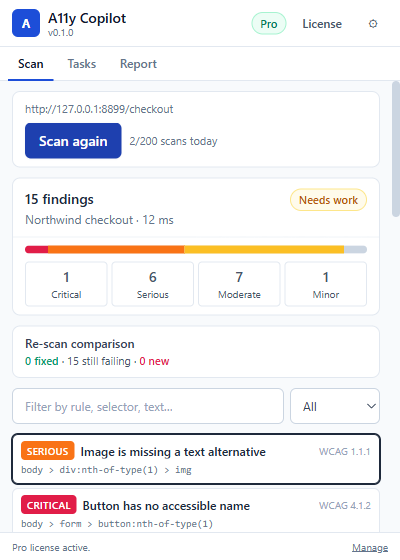
Re-scan after the fixes ship
Fixed, still failing, newly introduced. That diff is the evidence for your second invoice.
Deliver the report
Markdown, JSON, CSV, or a print-ready A4 PDF with running header and footer. Your client name and your name on the cover, evidence on every line.
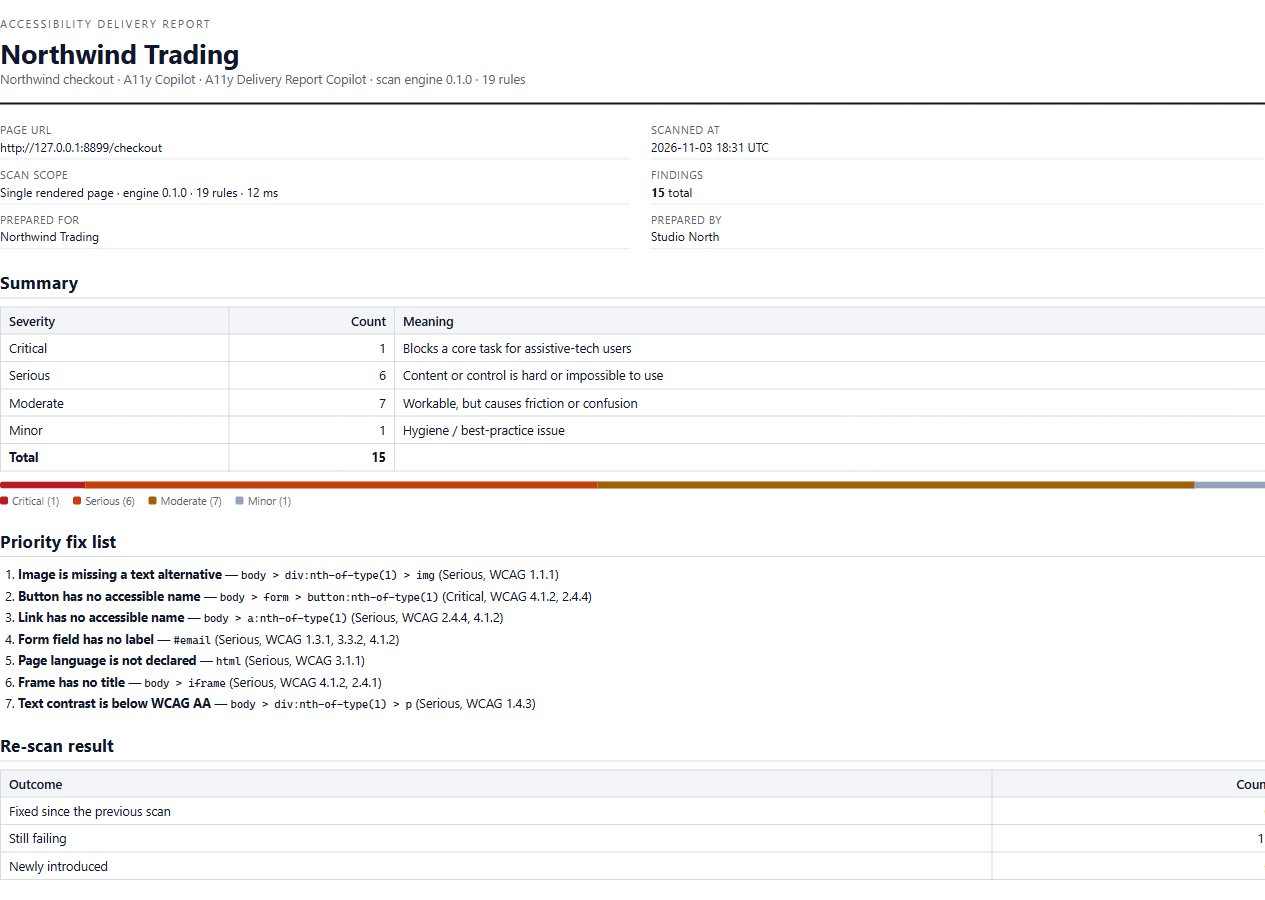
What's in the box
- 19 automated checks across 14 WCAG 2.2 AA success criteria: text alternatives, form labels, accessible names, heading order, measured contrast, target size, landmarks, table headers, frames, viewport zoom, duplicate ids, tab order, hidden focusables, vague link text, empty headings.
- Element-level evidence — CSS selector, HTML snippet and the measured value (for example
2.94:1 (needs 4.5:1)). - Fix snippets you can paste, written in plain language.
- Task board — status and owner per finding.
- Re-scan comparison — fixed / remaining / new.
- Exports — Markdown, JSON, CSV and print-to-PDF.
- Local by design — the page you scan never leaves your browser.
It does not modify your site. No overlay, no runtime patching, no “compliance badge”.
Pricing
One price, no renewal, no card on file with us.
$39 USD · one-time
| Devices | up to 3 |
|---|---|
| Updates | 12 months |
| Support | 12 months, email |
| Refund | 14 days, no questions |
| After 12 months | the version you own keeps working |
Payments and tax handled by Paddle. Full pricing and FAQ.